Apple Wallet is on iPhone. For Android, see the note at the end.
When you send a guest a pass, it can be saved to Apple Wallet on an iPhone — so it is ready at the gate even behind a locked screen, without opening a browser or hunting for a text.
What the Wallet pass shows
The pass carries the visitor’s name, the home and unit they are visiting, your community, the dates it is valid, and the QR / entry code used at the gate.
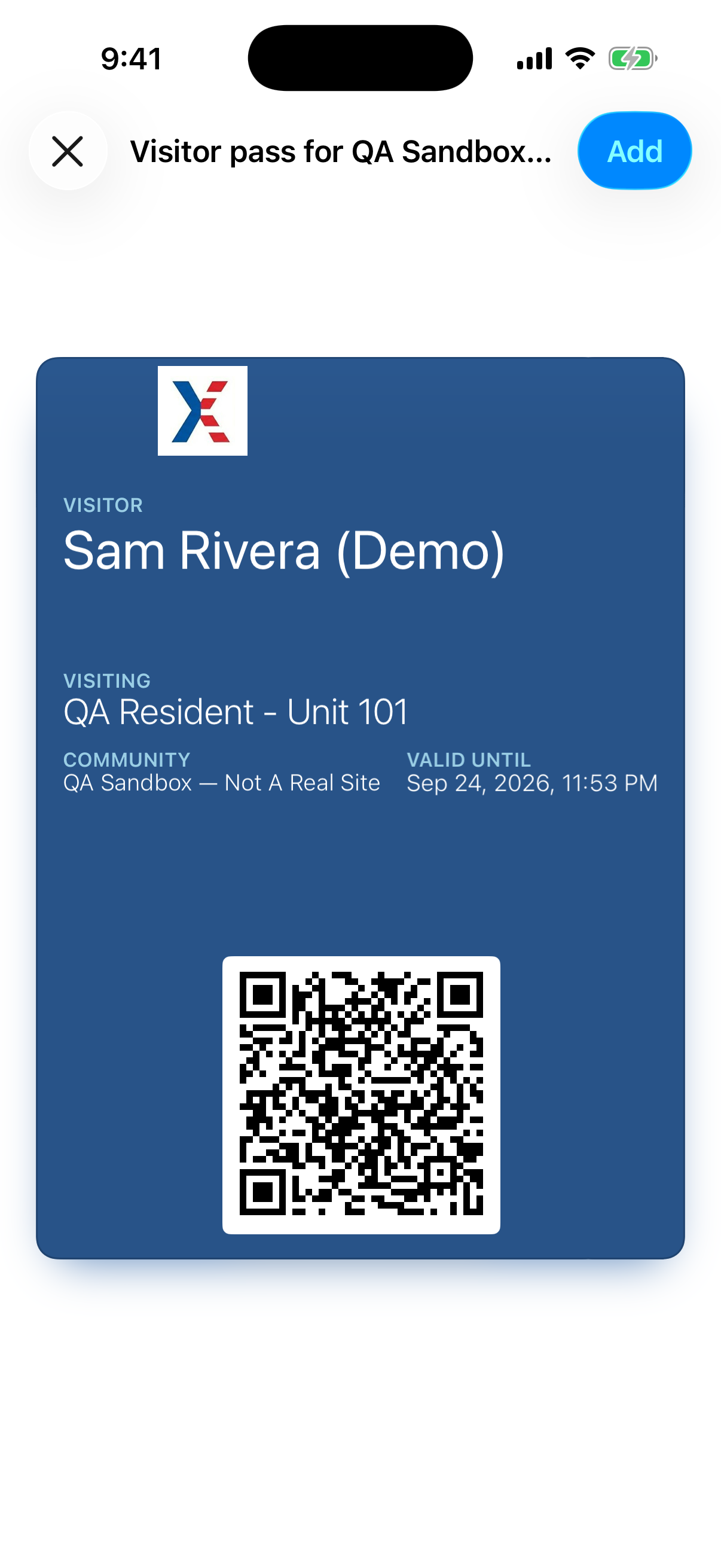
Add it yourself, from the app
Open the pass you want — from Home or the Visitors list, tap the pass — then tap Add to Apple Wallet. This is handy for a pass you want on your own phone, such as a recurring housekeeper or dog-walker.
Or let your guest add it
The pass link you send opens a page with an Add to Apple Wallet button. Your guest taps it on their iPhone — no app and no account needed. (See “How long are passes valid, and can a guest forward one?” for how the pass link works.)
It stays up to date on its own
If you change the visit window or cancel the pass, the copy in Apple Wallet updates itself — a cancelled or expired pass is shown struck through, so no one is left carrying a pass that quietly stopped working.
At the gate
Where a gate has a camera, the live QR in the app or on the pass page is the quick lane, and it refreshes for security. The Wallet pass is a stable, always-available copy; a guard may confirm the visitor’s identity against it before letting them in.
On Android
Google Wallet is not supported yet. An Android guest simply opens the pass link you send, or saves a screenshot of the QR code — either works the same way at the gate.