A delivery is just a visitor who comes once, so you let one in the same way you invite a guest — you just tell the app it is a delivery or a service. That gives the driver a pass that works for a single entry.
1. Start an invite and pick the type
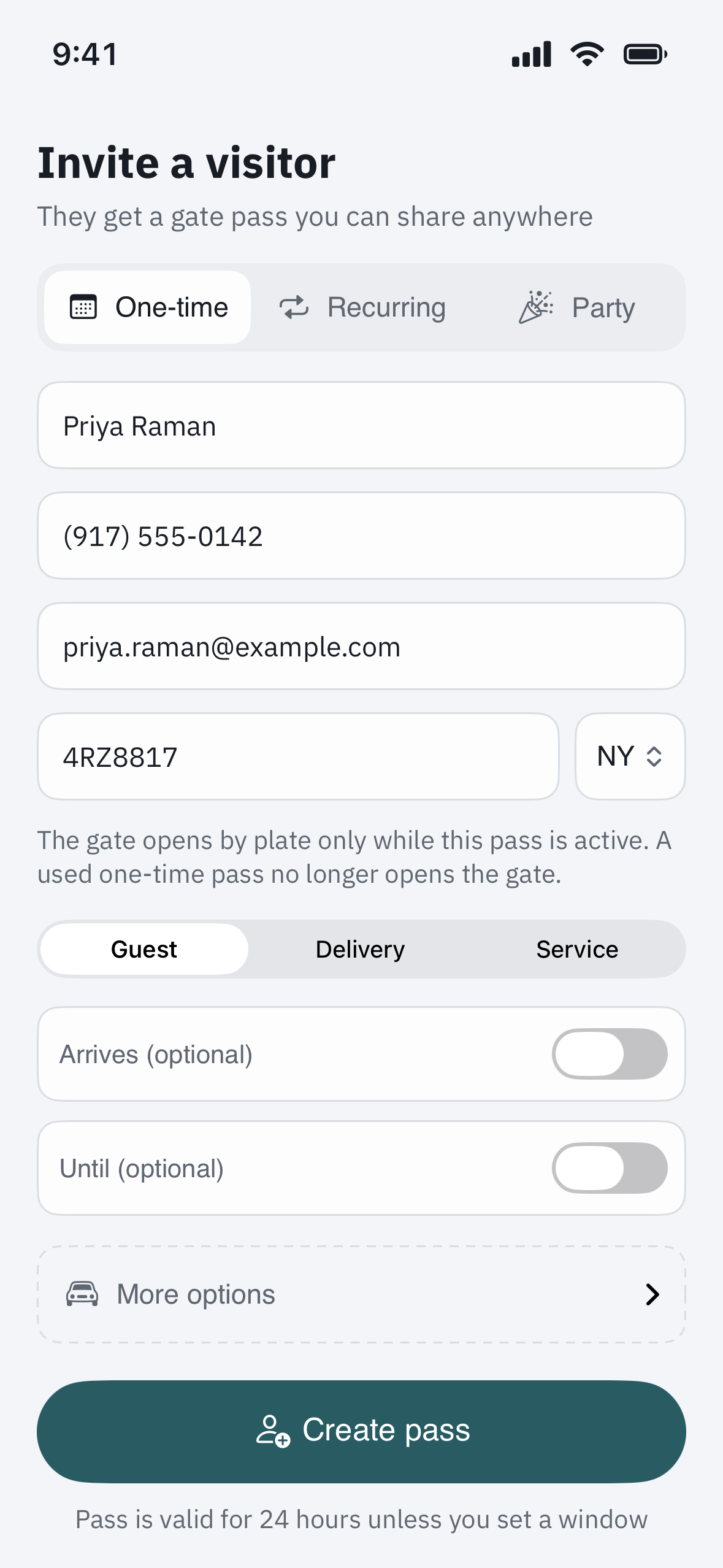
Open Invite (the same flow as inviting a guest), enter the driver’s name or the company, then tap More options and set the type to Delivery or Service provider. Contractors have their own type too.
2. Add the vehicle if you know it
If you know the vehicle, add its license plate and state under More options. This is what lets a plate camera recognise the car at the gate. The state matters: the camera reads the number but not the state, so entering it is how the system tells one ABC1234 from another. No plate yet? That is fine — skip it and the driver uses the pass instead.
3. Send the pass
Create the pass and share it, or text it to the driver. A delivery or service pass is one-time by design — it opens the gate for a single entry and then it is spent, so a pass you send today cannot be reused tomorrow.
How the gate opens
- With a plate camera. If your community reads license plates and you added the plate and state, the gate can open automatically for that one entry while the pass is active. If the same plate number matches more than one pass and the state is unknown, the gate will not open on its own and a guard is alerted instead — a safety fallback, not a fault.
- Without a plate. The driver shows the pass’s QR code or types its entry code at the gate, or buzzes your unit on the intercom so you can let them in.
Regular carriers you don’t have to invite
Your community office can pre-authorise well-known delivery companies with set delivery hours, so their vehicles are recognised at the gate without you sending anything. If your regular carrier still gets stopped, ask your property manager whether they are on that list.
Related
See “Invite a guest & send a visitor pass” for the full invite flow, “Set up a one-time PIN for a visitor” for the typed code, and “Add a vehicle / license plate to your unit” for how plate recognition works.