If visitor alerts, gate intercom calls, or community announcements are not reaching you, notifications are almost always being blocked by one setting in the chain. Work through these in order.
1. Allow notifications for the app
Open your phone’s Settings, find the community app, and make sure Notifications are allowed — including banners, sounds, and lock screen alerts. If notifications were ever declined when the app first asked, this is where to switch them back on.
2. Check Do Not Disturb, Focus, and Silent modes
A Focus mode, Do Not Disturb schedule, or bedtime/sleep mode can quietly hold back alerts — intercom calls included. Add the community app to your Focus allowed apps so its calls and alerts always come through.
3. Turn the right categories on in the app
Open Settings > Notifications inside the app and confirm the categories you care about — visitor arrivals, intercom calls, announcements, packages — are on, with push enabled. Leave intercom and security alerts on so you never miss someone at the gate.
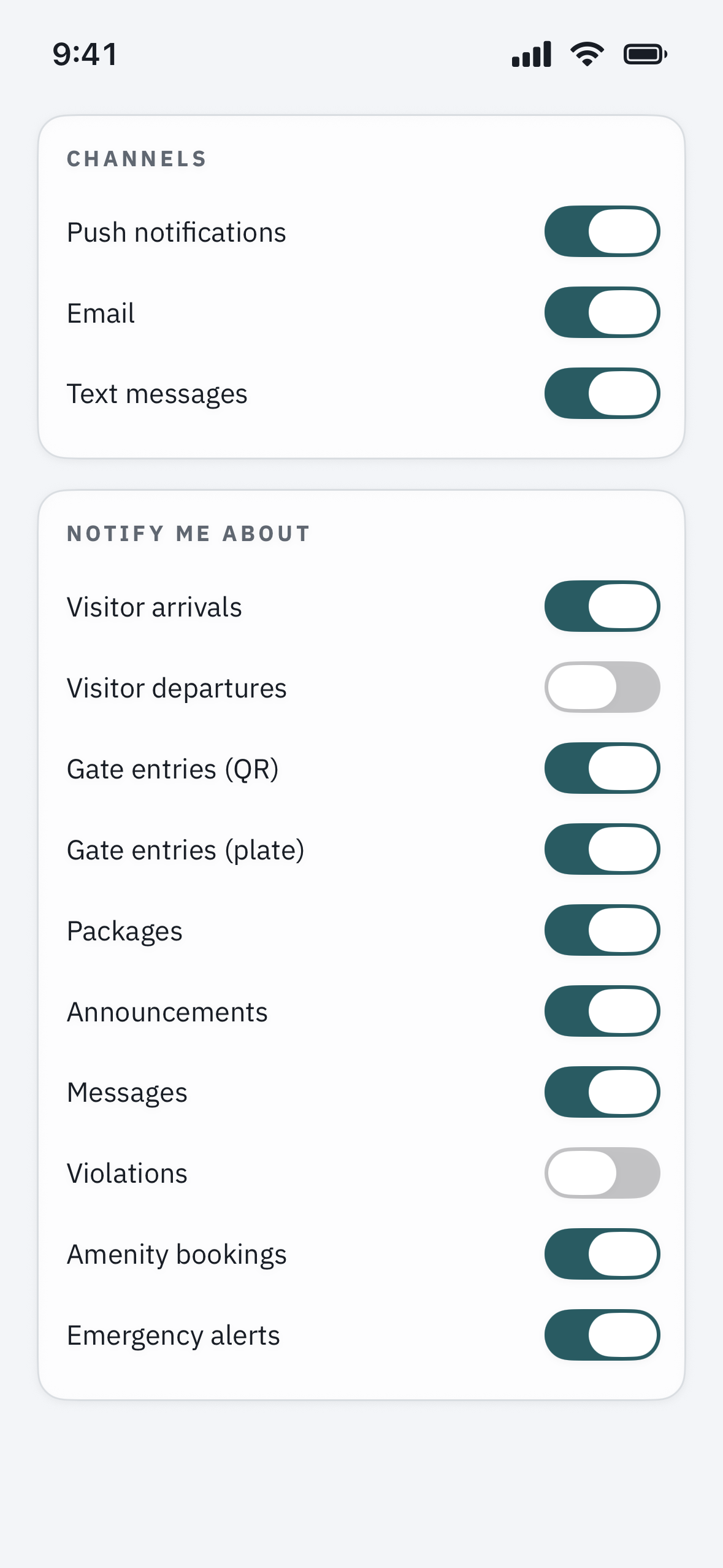
4. Confirm your number and email for text and email alerts
Push alerts come through the app; text and email alerts depend on your contact details. Open Profile and check your mobile number and email are correct. If you ever texted STOP to a community number, text START to opt back in to SMS.
5. Refresh the app’s connection
Sign out and back in to re-register your phone for push, and install any app updates. Notifications go to the devices you are signed in on, so keep the app installed and signed in on every phone that should ring. On Android, also exclude the app from battery optimization so the system does not stop it receiving alerts in the background.
Intercom calls specifically not ringing?
Gate intercom calls arrive as notifications, so they depend on steps 1 and 2 above. If you get other alerts but the gate call never rings, re-check notification permission and your Focus / Do Not Disturb settings first, and make sure the app has permission to use your microphone and camera for the call itself.
Still nothing?
If notifications are fully enabled and you still receive nothing after signing back in, contact your property manager or open a support ticket. Note your phone model, whether it is the app, text, or email alerts that are missing, and the last alert you did receive.