When your mobile key does not open the gate, it is almost always a setting on your phone — not a broken key. Work through these in order; the first two fix most cases.
1. Turn on Bluetooth and Location
Your key reaches the gate reader over Bluetooth, and your phone needs Location permission to use Bluetooth in the background.
- Make sure your phone’s Bluetooth is on. Turning it off in Control Center only pauses it — use the switch in Settings.
- In your phone’s settings for the community app, set Location to Always and turn on Precise Location.
- Confirm Bluetooth is allowed for the app.
2. Get closer and wake your phone
Stand within a few feet of the reader with your phone awake. Metal, a car windshield (especially if tinted), a thick case, or a crowded gate can all weaken the signal. In a vehicle, lower the window and hold the phone toward the reader.
3. Open the app once, then try again
If you recently restarted your phone or fully closed the app, launch it once and let it connect before you try the key. That single foreground launch is often all it takes.
4. Check that your key is active
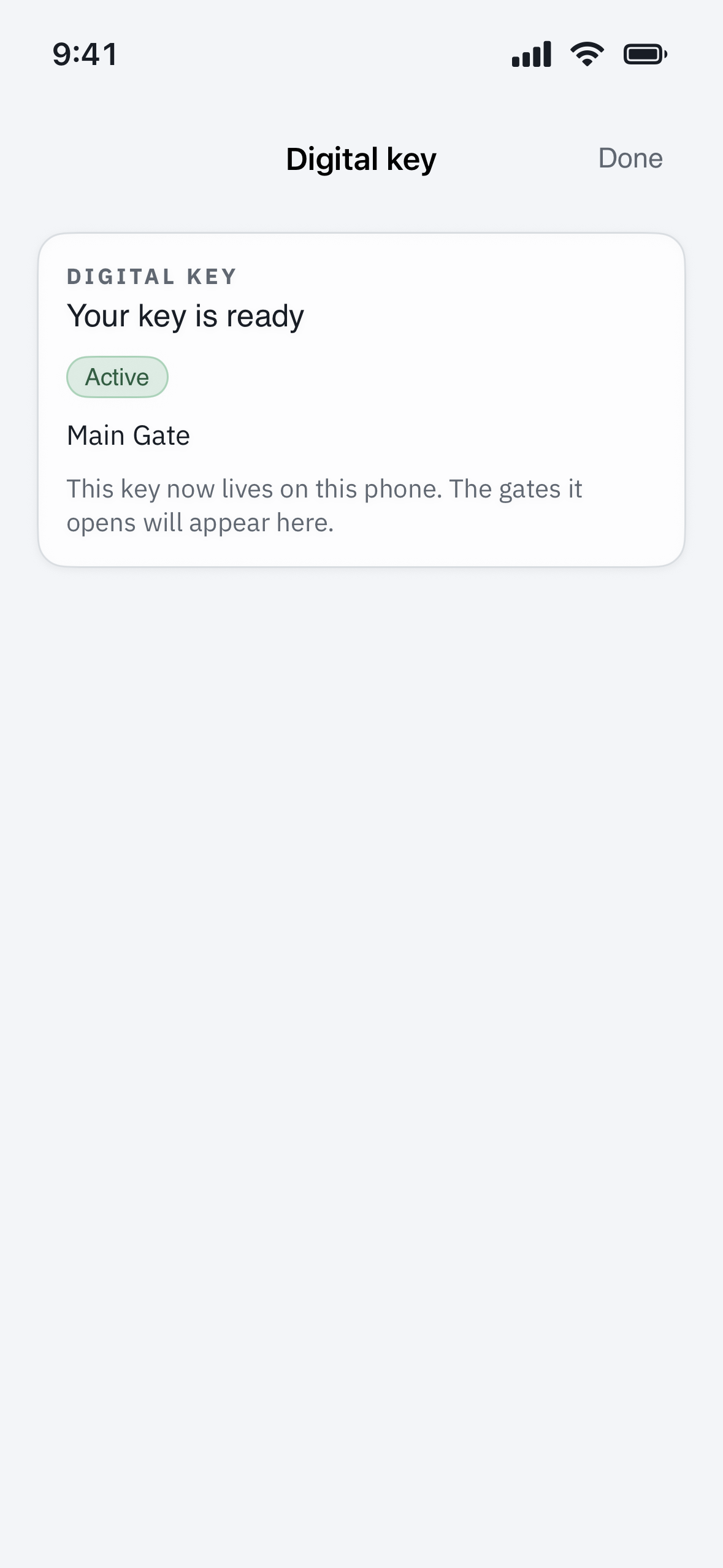
Open Profile > My access and tap your mobile key. It should show as Active and list the gate you are at. If it says awaiting activation, tap Activate. If the gate you want is not listed, your community may not have granted access there.
5. If you switched phones
A key lives on the one phone it was set up on — it does not move to a new phone automatically. With a new device, ask your community office to reissue the key, then activate it on the new phone. Mention the old phone too, so the key on it can be switched off.
6. Quick resets
- Toggle Bluetooth off and back on.
- Restart your phone.
- Sign out and back in, and install any app updates.
- As a last resort, reinstall the app and sign in again.
Still stuck?
Use a PIN or the gate intercom to get in for now, then contact your property manager. They can confirm your key is issued and active and that you have access at that specific gate. If your key shows Active on your phone but the gate never responds, mention which gate — the reader itself may need attention.
Good to know: the gate works over Bluetooth even with no cell signal, but your phone must have signed in on that device at least once beforehand.