Delivering to a gated community? Getting in is quick once you know which method the resident set up for you. Here's how, from most common to least.
1. If you got a text with a link, use your pass
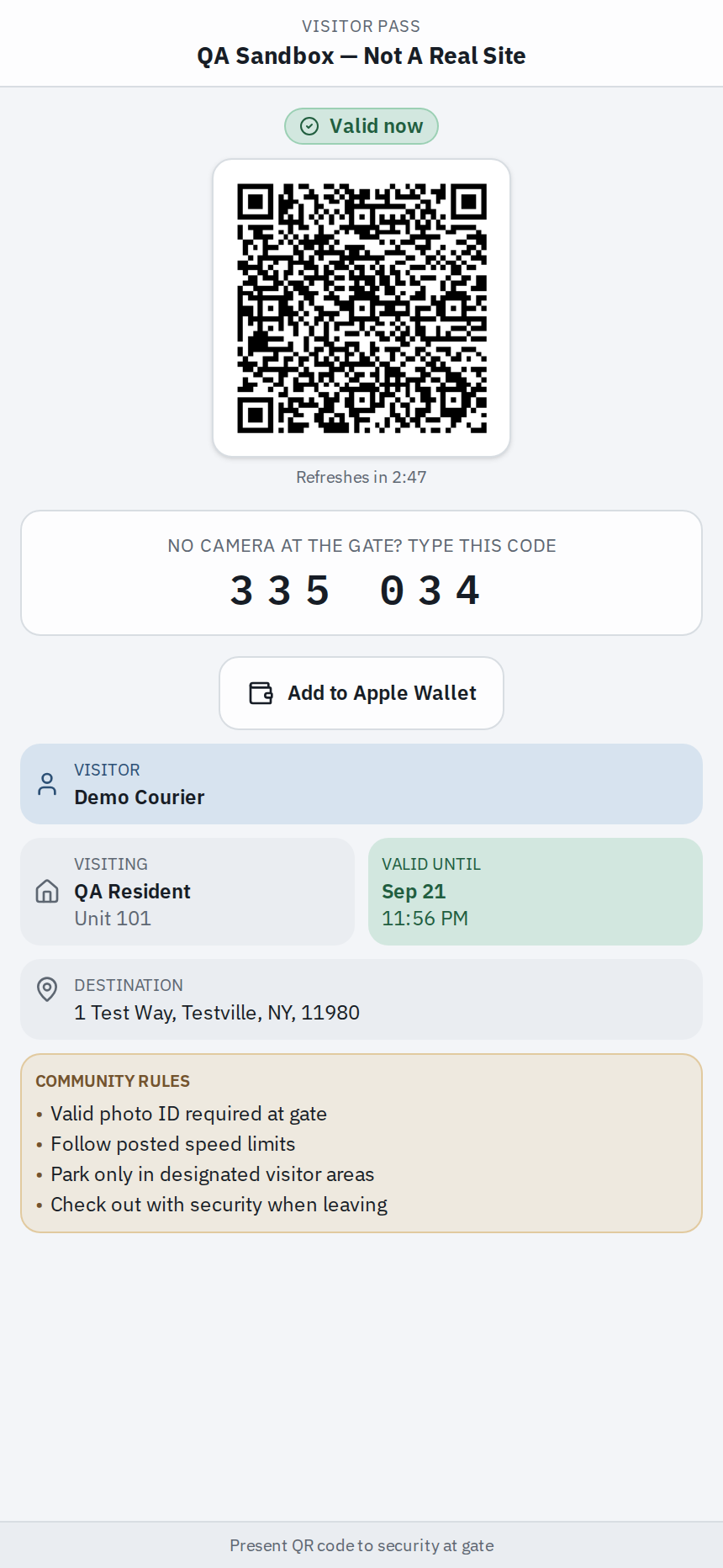
If the resident sent you a text, it has a link to a visitor pass. Tap the link — no app needed — and it opens a page with a QR code and a 6-digit entry code. At the gate:
- Hold the QR code on your screen up to the camera (screen brightness all the way up helps), or
- Type the 6-digit code on the keypad.
Use the live page from the link, not a screenshot — the code refreshes itself and an old picture can be turned away. Delivery passes are often one-time, so if you need to come back later, ask the resident for a new one.
2. If they registered your license plate, the gate may open for you
Some residents add a delivery's license plate ahead of time. If yours was added, the plate camera at the entrance can open the gate for you automatically as you pull up — usually just once for a delivery. This only works if the resident set it up, so don't rely on it: have a backup ready (a pass, or calling the resident) in case the gate doesn't open on its own.
3. No pass and no plate? Call the resident from the gate
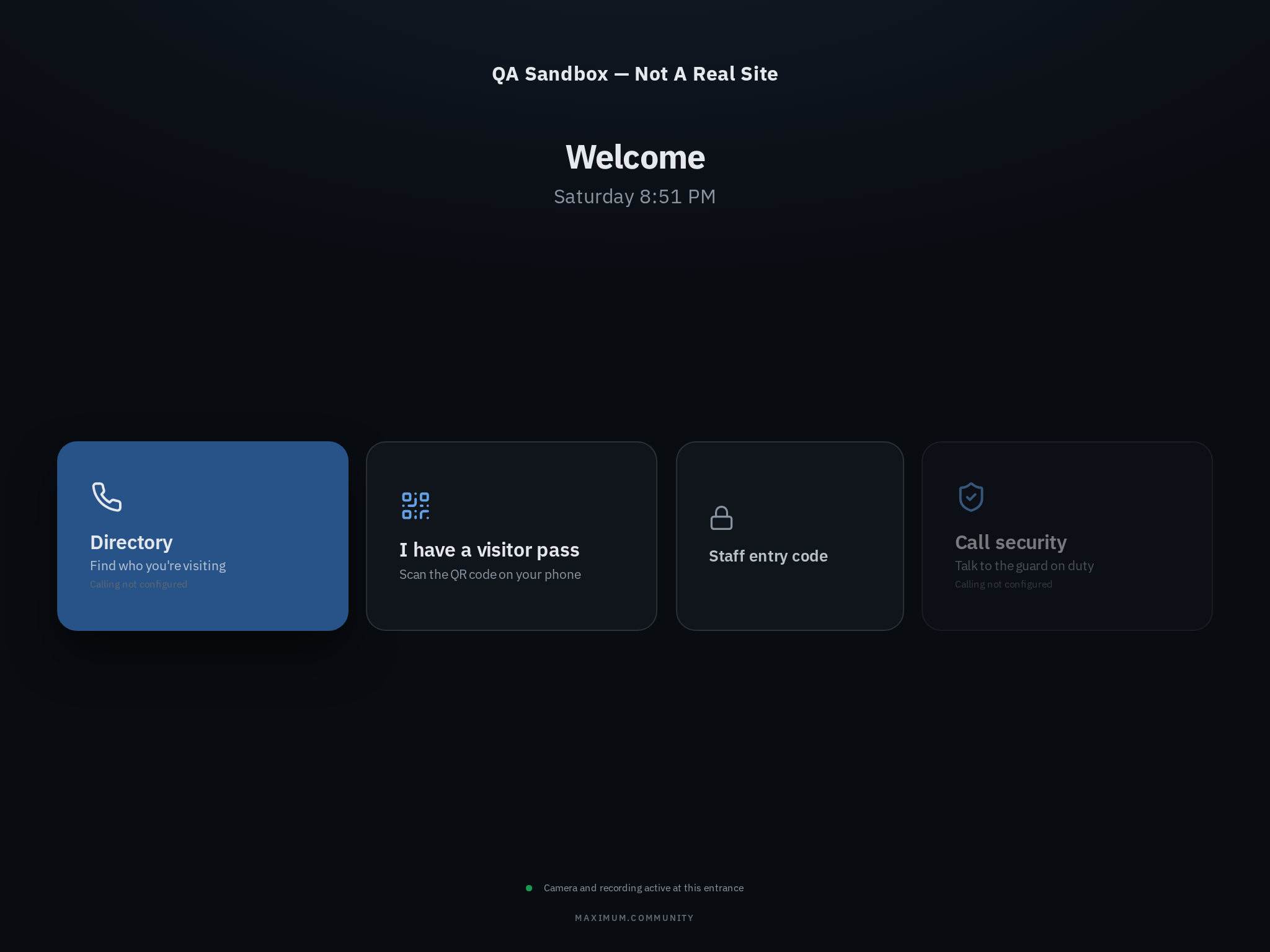
If you weren't sent anything, most gates have a directory on the panel or tablet. Search the resident's name or unit number, tap to call, and they can answer and open the gate. If there's a Call Security or Call Office button instead, use that and say who you're delivering to.
4. If there's a guard, just ask
At a staffed gate, tell the guard who you're delivering to (the resident's name or unit). Have your pass ready on your phone if you were sent one — the guard can check you in.
Good to know
- Gates are set up differently — not every one has a camera, a keypad, a directory, or a guard. Use whatever's on the panel in front of you.
- You show the pass; the gate's camera reads it. Scanning your own QR with your own phone won't open the gate.
- A delivery pass may only work once and for a limited time. If it won't go through, reopen the link to refresh it, then call the resident from the gate directory.
If your code won't work at the keypad or camera, there's a step-by-step fix in "Your QR code or PIN didn't work at the keypad."