Every visitor on your list carries one of five statuses. They tell you where a visit stands, and they also decide what the gate and the guard will do with the pass.
The five statuses
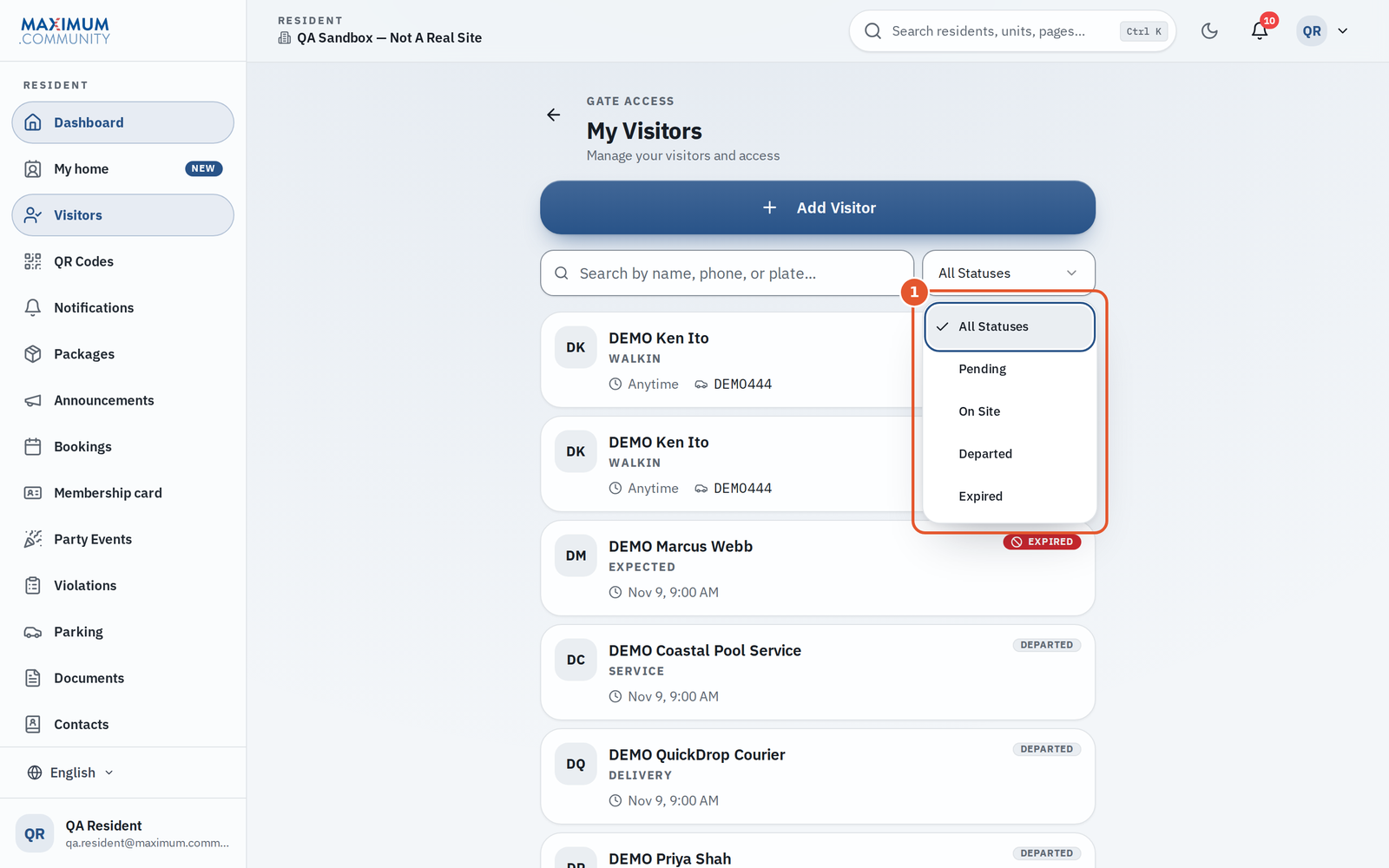
- Pending: the visit is expected and the guest has not arrived yet. A license plate on the pass can open the gate automatically only while the pass is valid.
- On site: a guard has checked the guest in, and they are inside the community. In some communities this reads Arrived.
- Departed: a guard logged the guest leaving.
- Expired: the visit is over. A visit becomes Expired when you cancel it, and the office marks a visitor Expired rather than deleting them if they have ever been through the gate, so the history stays.
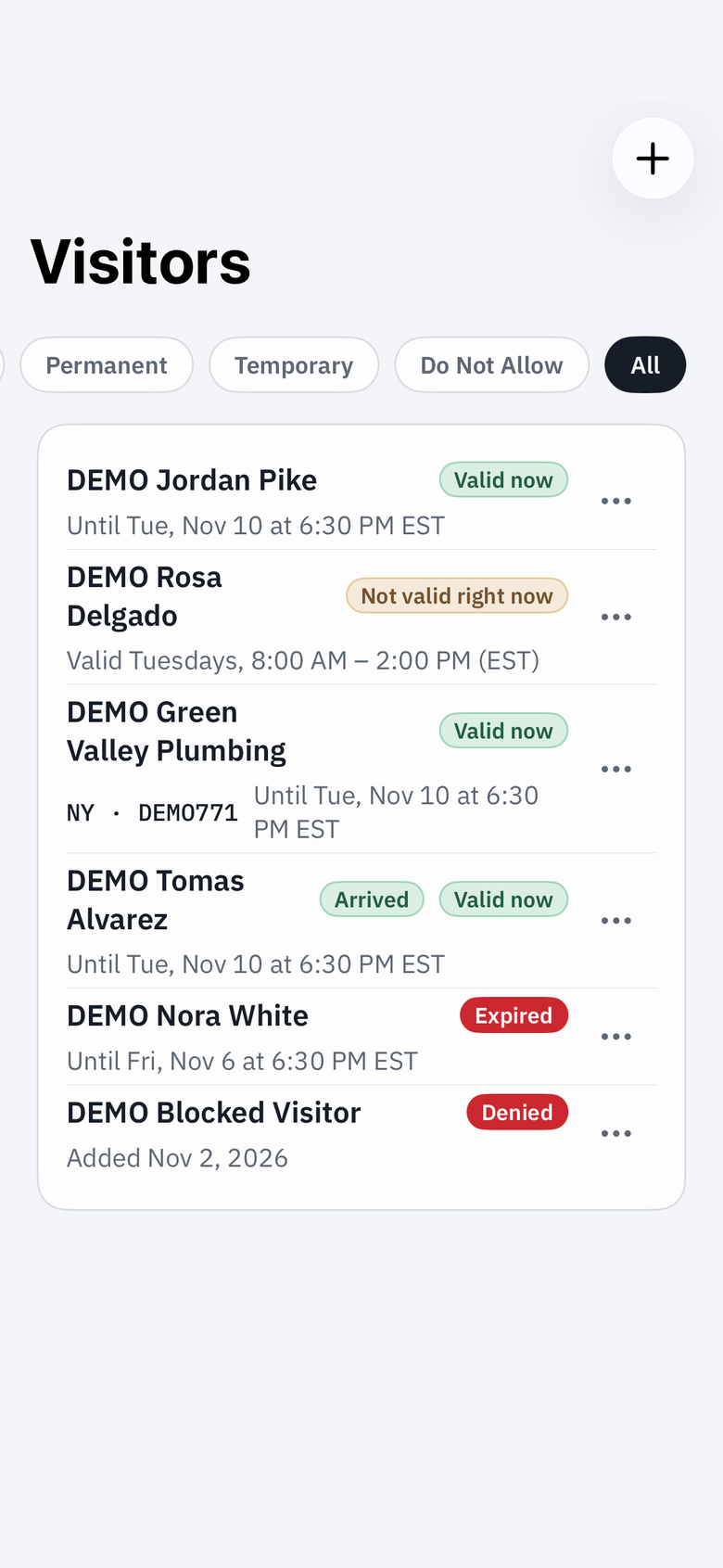
- Denied: an entry you added to your home's Do Not Allow list. These are people or plates you have asked security to flag, not real visits. The whole home's list, with the entries other adults added, is under My home, Do Not Allow.
Why “Expired” after a cancel?
Cancelling does not delete anything. The visit is closed, any pass attached to it is deactivated (a Wallet card the guest saved updates to show it is no longer valid), and the record is kept as Expired so you can see it happened. There is no way to reopen it. Send a new pass instead.
Guests who come back
A guest with a Date range or a Permanent guest pass works on every day of their window, not just the first visit. After a visit they read On site or Departed, and the next day they are expected again on the guard's list while they have entries left. A One-time guest is one visit.
Finding visitors by status
On the web at app.maximum.community, Visitors has a status filter (All Statuses, Pending, On Site, Departed or Expired) plus a search box for name, phone or plate. Passes themselves are managed under My home, Temporary guests and Permanent guests. In the Maximum.Community app, the Visitors tab lists your guests and lets you filter them with chips: Active, Permanent, Temporary, Do Not Allow and All. Denied entries are under Do Not Allow.
What you can do at each stage
- While a visit is Pending you can cancel it. On the web, the ⋯ menu shows Cancel only for pending visits; in the app, open the guest's menu to cancel the visit or deactivate the pass.
- Once a guest is On site, cancelling is no longer offered. Deactivate or cancel the pass if you need to stop them coming back in.
- Departed and Expired visits need nothing from you.
Good to know
- A pending visitor with no arrival time still counts as expected today on the guard's list.
- A one-entry plate pass that has been used stays Pending with its entry spent, so the log reads as a known pass that is used up rather than an unknown car.
Related
See “How do I cancel or revoke a pass I already sent?”, “How does my Do Not Allow list work, and what happens if that person shows up?” and “See who came through your gate (visit history)”.